Google has long cited that businesses with photos on their Business Profile get roughly 42% more direction requests and 35% more clicks to their website than profiles without. That figure comes from officialGoogle Business Profile Help guidance, and it has been the load-bearing stat in nearly every "add more photos to your GBP" pitch for the better part of a decade.
Here's the catch: that stat compares profiles with photos to profiles with no photos. It was never a promise that more photos would mean more directions. In our own audits, profiles scoring high on recency and dimension coverage consistently outperform high-volume profiles with stale uploads. Google said photos. The industry heard "more photos." Those are different sentences.
What Google actually said (and what people heard)
Google's framing has stayed roughly the same for years:
"Businesses with photos see 42% more requests for directions and 35% more clicks through to their websites than businesses without."
Read it carefully. The comparison group is zero photos versus some photos. Nothing in that sentence claims that going from 30 photos to 130 photos gets you anything. But the SEO industry took that figure and built a volume narrative around it: more uploads, more thumbnails, more reach.
That is a complete misreading. The lift Google is describing is the lift from looking abandoned to looking active. Once your profile clears that bar, the same stat doesn't keep paying you.
The diminishing-returns curve, in plain English
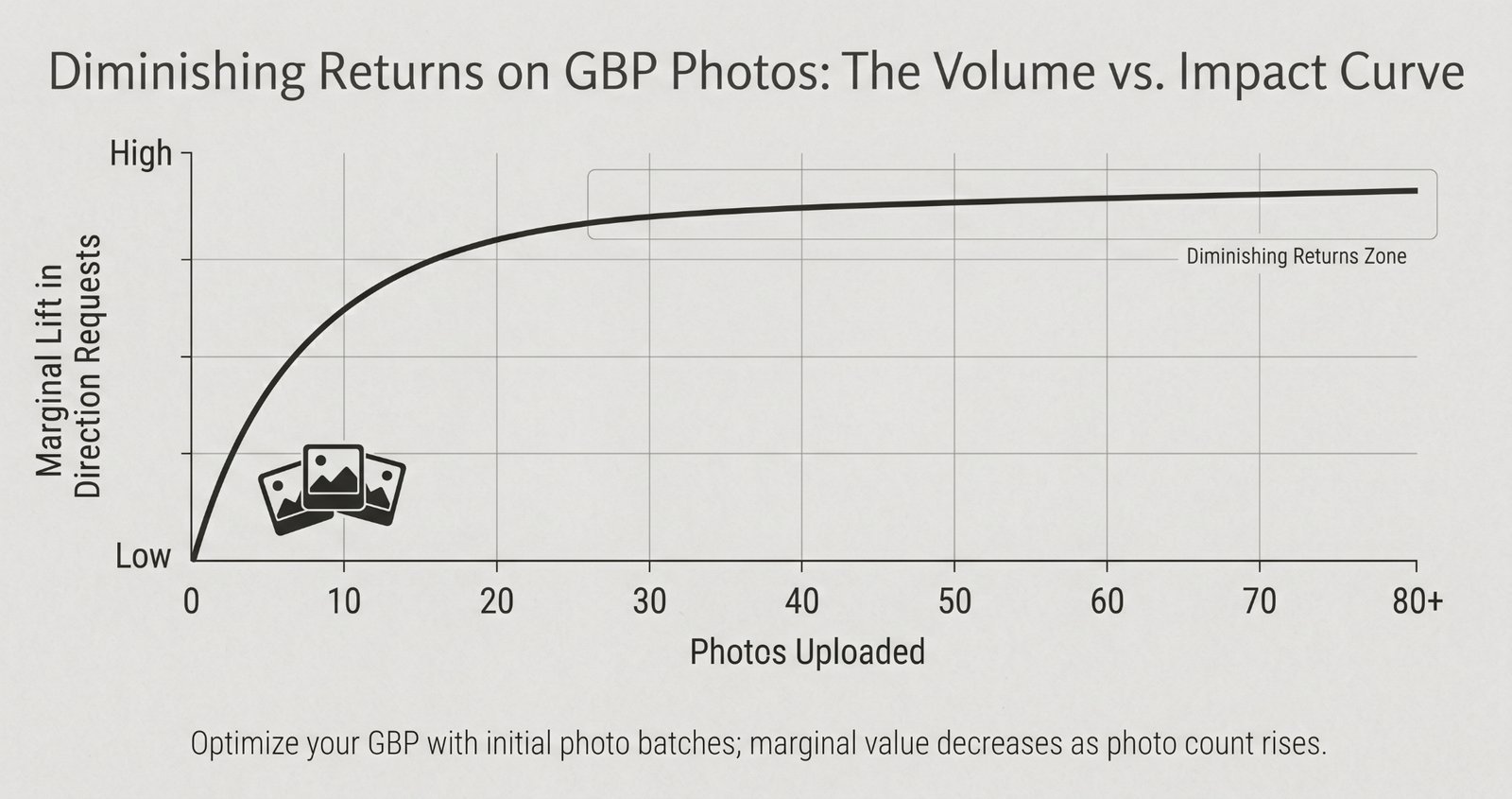
Here is roughly how the curve actually plays out, based on what we see in audits:
- Photos 1 through 10 do the heavy lifting. Your profile stops looking dead. Maps users get visual proof you're a real place. Google's ranking systems get a signal that someone is home. This is where most of the headline 42% lives.
- Photos 10 through 30 keep paying. This is especially true if each new photo fills a category bucket you didn't already cover. An exterior shot when you had none, or a team photo when your gallery was all product, drives real lift.
- Photos 30 through 100 are marginal. You are filling out the gallery, not changing the impression. Most users will never scroll that far.
- Photos past 100 are basically noise. They don't hurt you, but they stop working for you unless they are recent or filling a category gap.
Why this happens
Users skim. They look at the first four to eight thumbnails on a Maps listing and make a snap call about whether your place is worth tapping "Directions" for. Google's ranking systems care about signal quality and freshness, not bulk. A profile with 400 photos uploaded in 2021 sends a weaker signal than one with 25 photos uploaded across the last year.
What actually moves the needle in 2026
Recency
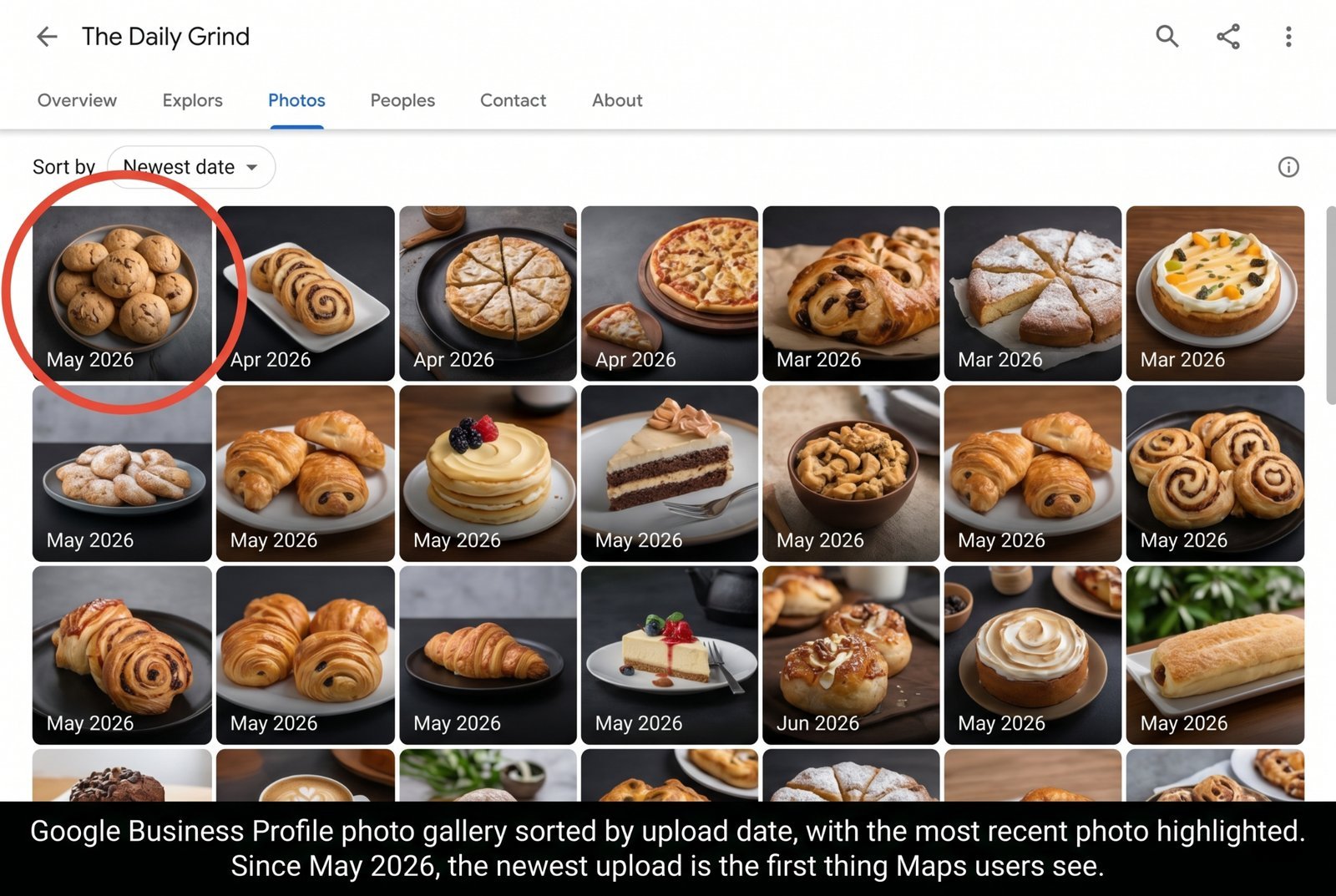
As of thenew upload-date sorting rolled out in May 2026, the GBP photo gallery sorts newest-first. Your most recent upload is now the first visual a Maps user sees. A photo from last week beats a photo from 2022, every time.
This changes the math. Recency used to be a soft signal buried in Google's ranking mix. Now it is the cover of the book. If your last upload was 11 months ago, that is the first impression you are making on every Maps user who lands on your profile this week.
Dimension coverage
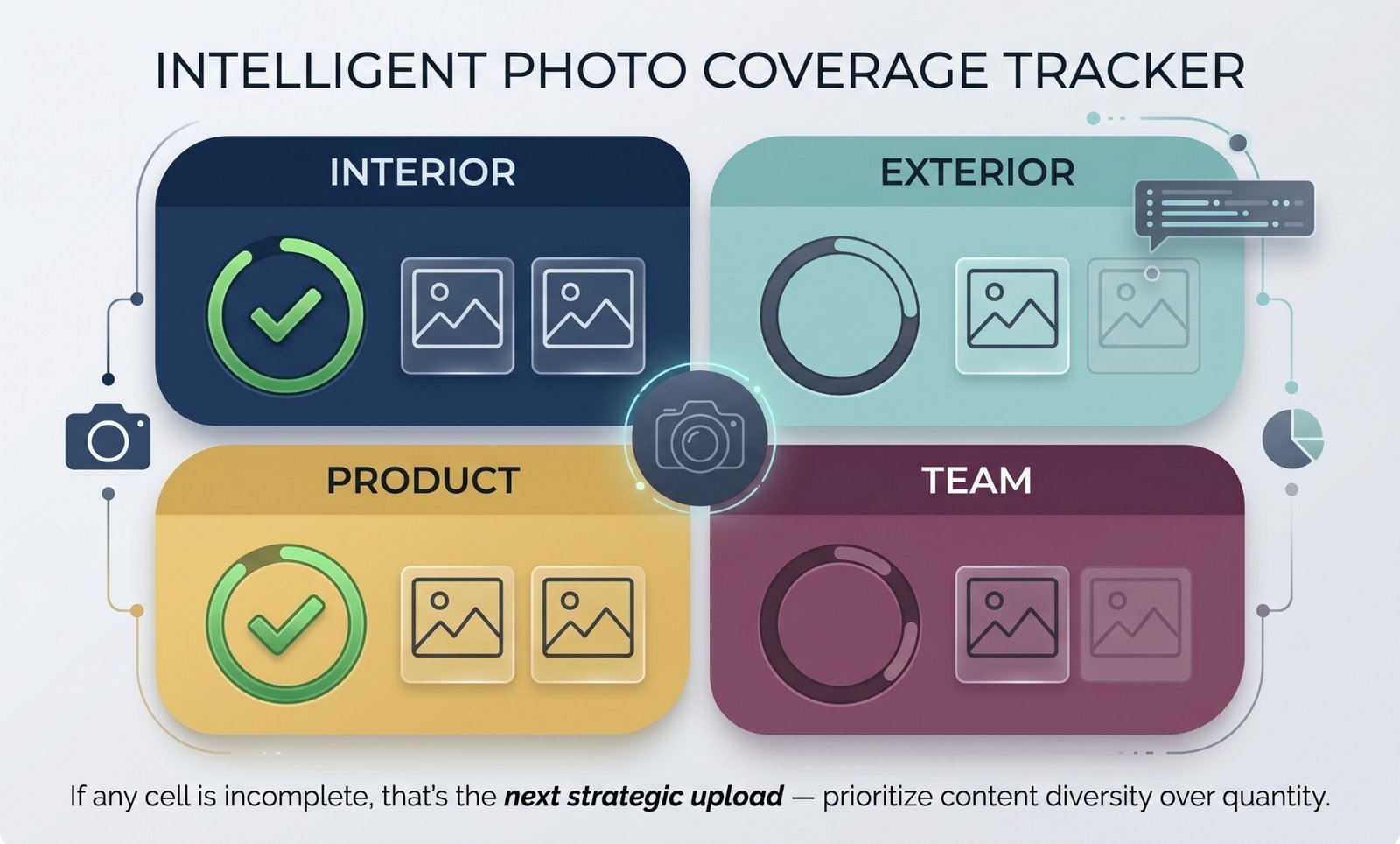
Interior, exterior, product or service, and team. Each of these buckets answers a different user question, and a missing bucket loses you a different kind of customer.
A restaurant with no exterior shots loses the "can I find the door from the street?" user. A salon with no interior shots loses the "is this place clean?" user. A contractor with no team photos loses the "are these people I want in my house" user. Photo number 51 of the same display shelf doesn't fix any of that.
Variety within categories
Three exterior shots from three different angles beat ten exterior shots taken from the same spot on the same afternoon. Variety inside a category is what makes the category feel covered. Repetition just makes it feel padded.
The volume profiles look impressive in a screenshot. The recent and varied profiles get the actual taps.
Find out whether your profile is sending the right signals in “Your Google Business Profile Now Has to Talk to an AI. Here's What It's Looking At.”
A 15-minute photo audit you can run today
Pull up your profile in Maps and walk through this quick checklist:
- Count your photos by category. Note any category sitting at zero.
- Find your most recent upload date. If it is older than 60 days, updating it is your highest-leverage move.
- Look at your first row of thumbnails the way a stranger would. Does it accurately represent what you actually do?
- Get your baseline. Run your profile through a free photo audit to get a recency and dimension coverage score in one shot.
That is the whole audit. It is not complicated, but it targets what actually impacts user behaviour.
What to do this month (not this year)
- Upload three to five fresh photos that cover any dimension you are missing. Don't overthink it. A clear phone shot of the front of your building beats a missing exterior bucket every time.
- Set a recurring 30-day reminder to upload one new photo. Recency is a habit, not a project. One thoughtful upload a month keeps your first thumbnail row fresh and your recency signal alive year-round.
- Stop bulk-dumping old camera roll exports. It looks like a one-time cleanup that will turn stale together in 60 days. Stagger the uploads if you have a large backlog.
Google's stat is real. The lift is real. But the lever isn't volume — it's recency and coverage. The profiles winning direction requests in 2026 aren't the ones with the most photos. They're the ones whose first thumbnail row was updated this month.
Run afree photo audit on your profile today to see where your recency and coverage actually stand.
Frequently Asked Questions
So, should I delete old photos?
No. Old photos still fill out category coverage and do not hurt your profile. They just do not get top-of-gallery visibility anymore. Focus your energy on adding recent ones rather than pruning old ones.
How often should I upload?
One fresh, useful photo every 30 days is a strong baseline. More is fine if there is something real to show, like a new product, a seasonal change, or an event. Avoid faking activity with generic stock photos.
Does Google penalise bulk uploads?
Not directly. However, bulk-dumping 50 photos in a single session means they will all become stale at the same time in 60 days. Spacing out your uploads keeps your recency metric consistently fresh.
What if my business doesn't change visually — say, a law office?
Cover the core dimensions well once (exterior, lobby, conference room, team). From there, rotate in one fresh shot a month. This could be an updated team headshot, a refreshed workspace angle, or a photo from a community event.
Do customer-uploaded photos count?
They contribute to your overall gallery and build user trust, but you cannot control their recency or quality. Treat customer photos as a bonus rather than a core component of your active strategy.
Photo recency scoring is part of the standard scan — see the full audit feature list.