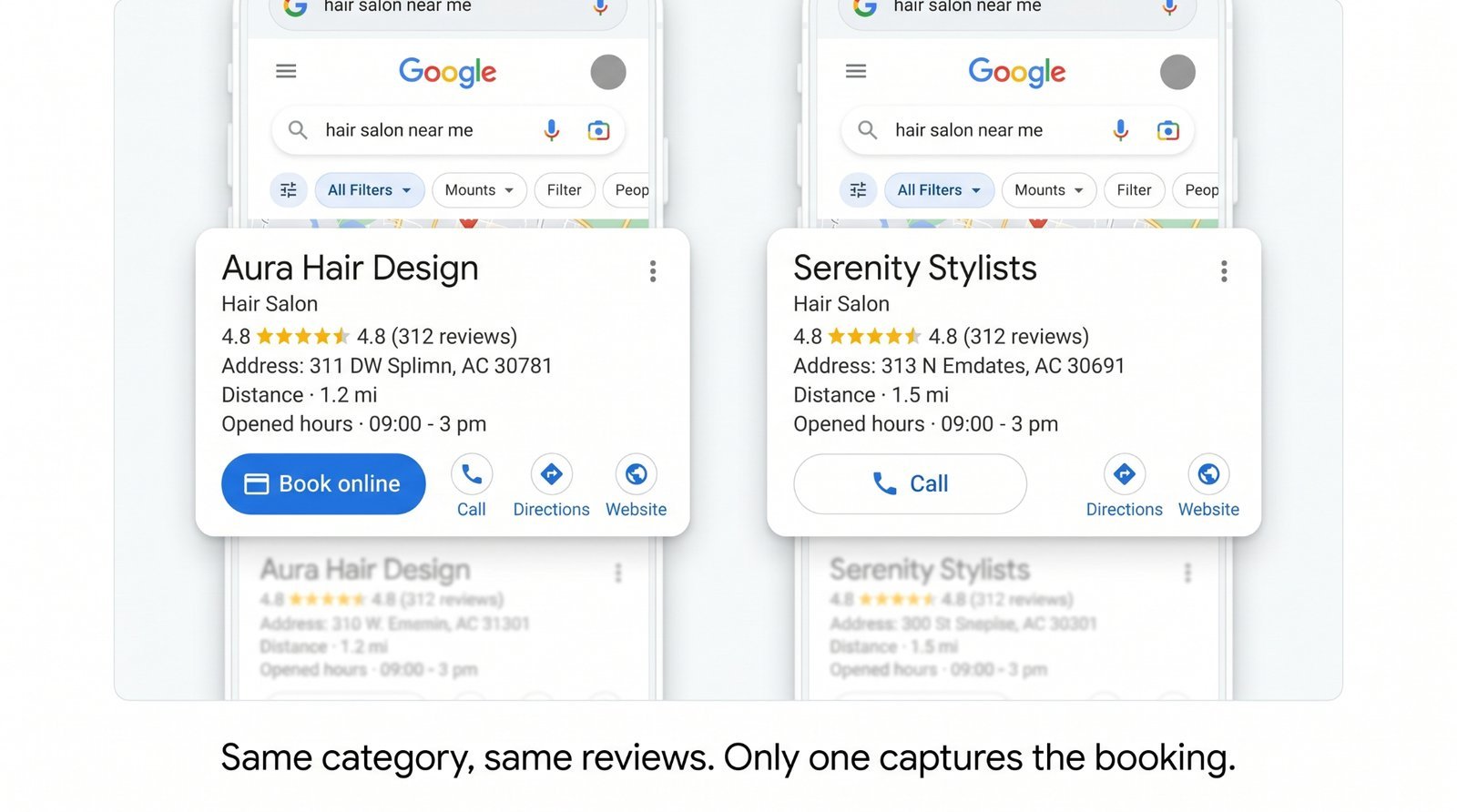
Search "haircut near me" on your phone. Two salons come up in the search results. Both have 4.7 stars, both are a five-minute drive away, and both are open right now. One has a blue Book button right under the business name. The other only has a phone number. You are standing in line for coffee. Which one are you tapping?
That is the entire pitch for Reserve with Google, and it is the reason your business needs it. The feature quietly expanded over the last few years to cover most appointment-based local businesses. However, market adoption has not caught up with the feature's expansion. If you turn it on now, you are competing against profiles that still force customers to manually dial a number. The conversion math heavily favours whoever puts the booking button on their profile first.
What Reserve with Google actually is (and isn't)
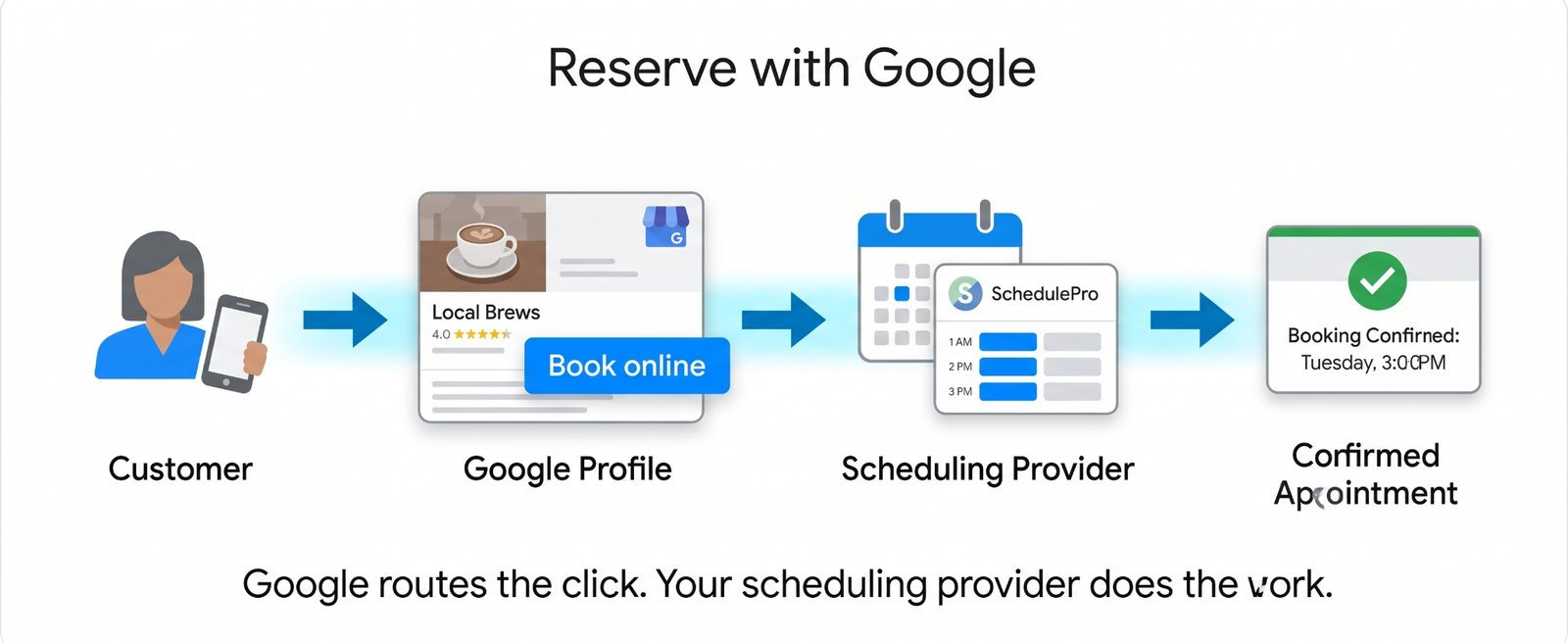
Reserve with Google is a dedicated booking button that lives directly on your Google Business Profile (GBP). It is not a standalone calendar software. Google does not run your appointments directly, nor do they want to manage your day-to-day calendar.
The button acts as a routing layer. When a customer taps it, Google hands the request off to the third-party scheduling software you already use. That software then processes the slot and confirms the appointment.
PerGoogle's 2026 GBP Best Practices Playbook (p. 14), the feature is:
"available in 88+ countries, covering many categories including beauty, fitness, dining, and others."
This reach is significantly broader than most operators realise, which explains why the tool remains widely underutilised.
The verticals that are now eligible
The obvious categories are beauty (salons, barbers, nails, spas), fitness (gyms, studios, personal trainers, yoga), and dining reservations. Those have been live the longest. The newer additions offer the most significant competitive advantages for local businesses today: auto repair, local maintenance services, and specific healthcare categories where appointment booking through a provider makes sense.
This is not a closed list. Google's eligibility map changes frequently, and yourspecific GBP category matters more than your broad industry vertical. The best move is to open your GBP dashboard to see if a bookings option appears for your account. That dashboard is your source of truth.
Why almost nobody's using it
Three distinct friction points explain why this feature is sitting idle on millions of eligible profiles:
- Outdated awareness: Operators do not realise that the feature has expanded beyond restaurants and hair salons. A mechanic who heard about Reserve with Google in 2020 reasonably concluded it was not for them and never rechecked the settings.
- Disconnected software stacks: Plenty of businesses pay for modern scheduling software that natively integrates with Google. They simply never connected the two accounts. Because the integration toggle usually lives deep inside the scheduling provider's settings rather than the GBP dashboard, nobody stumbles into it by accident.
- Agency oversight: Local SEO agencies frequently focus heavily on reviews, photos, and local posts because those are highly visible audit items. The booking integration is completely invisible until it is turned on, so it frequently stays turned off during standard audits.
What you actually lose by not having the button
Phone calls leak customer intent. After-hours calls go straight to voicemail. Language barriers or busy environments kill conversations before they start. A customer who was ready to book a service at 9:47 p.m. on a Tuesday night is often gone by Wednesday morning if they are forced to leave a message.
The native booking button eliminates this drop-off. A high-intent user—someone who has already decided they want to book a service—wants a two-tap checkout experience. They want to tap your profile, tap Book, and pick their time slot.
Compare that to the standard alternative path: tap your profile, copy the phone number, switch to the dialer app, call, navigate an automated greeting, wait for a human, argue over calendar dates, and manually hang up.
Google's core guidance for profile owners is to give customers immediate, low-friction ways to act. Most profiles still funnel everyone to a phone call. That specific gap is your immediate conversion opportunity.
How to check if you're eligible
Step 1 — Look inside your GBP dashboard
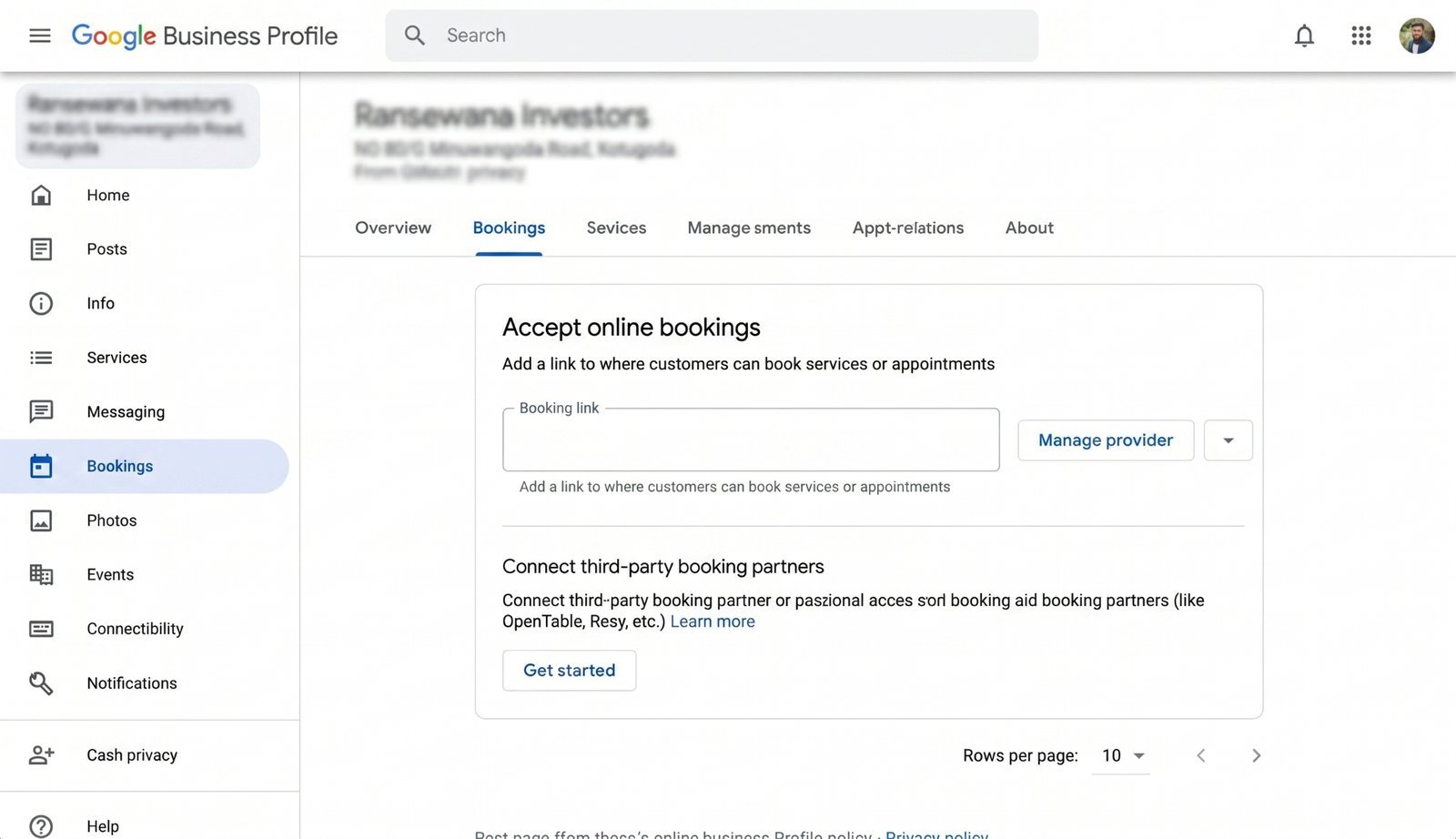
Sign in to your Google Business Profile manager. Look for a Bookings or Add booking link option in the primary navigation menu. If the menu option is visible, your core category is officially eligible.
Step 2 — Check your scheduling software
Pull up the platform that runs your customer calendar today and check whether it is listed onGoogle's official list of supported scheduling partners. This list changes frequently, so check Google's live support documentation rather than relying on static blog lists. Per Google's strict system architecture, you must use an approved partner provider to surface the native button.
Step 3 — Decide whether to switch
If your current software provider is not supported, check if a Reserve with Google integration is on their immediate product roadmap. If it is not, weigh the software switching cost against the volume of mobile bookings you are actively losing. For an active business driven by consistent appointment volume, switching platform ecosystems is usually worth the conversion lift.
How to wire it up (the short version)
First, verify that your scheduling provider is fully supported. Next, enable the integration inside your scheduling provider's settings dashboard—not inside the Google Business Profile dashboard.
This specific sequence trips up most operators. They spend hours looking inside GBP for an activation toggle that does not exist, assume the feature is broken, and abandon the setup entirely.
Once you flip the integration switch on your provider's side, allow 24 to 72 hours for the data to sync and propagate across Google's network. After three days, open an incognito browser tab or use a separate phone to search for your business. Test the user experience yourself. Do not rely entirely on the dashboard preview window; verify what live users actually see on Google Search and Maps.
Think keyword stuffing still works? See how Google is catching it and what to do instead.
How to tell it's working
Look for three clear operational signals:
- The distinct, blue booking button shows up clearly when you search your exact business name on both Google Search and Google Maps mobile apps.
- Incoming customer appointments start appearing in your internal scheduling calendar explicitly tagged with "Reserve with Google" as the marketing source.
- Over a 30-day tracking window, your baseline phone call volume will dip slightly while your total booked appointments rise. This confirms your existing demand is successfully migrating to a more efficient, automated conversion path.
If the button fails to appear after a full week, the data sync likely failed on the software provider's side. Return to your scheduling tool's integrations page to re-verify the account connection status.
One more thing about website booking links
If your Google profile currently features a standard text link pointing to a booking page on your website, that is not Reserve with Google. That is a basic appointment URL field.
The native Reserve feature keeps the customer entirely inside Google's unified user interface. A standard website link bounces the user out of search, forces their mobile browser to load your website assets, and obligates them to navigate your web layout. Reserve converts at a higher rate because it completely removes those technical friction points. If your software supports the native upgrade, make the switch.
The Conclusion
Enabling this integration is one of the lowest-effort, highest-leverage optimisation changes you can make to a Google Business Profile in 2026. The technical architecture is already built. Your primary business category is likely eligible, and your existing calendar software likely supports the connection.
The actual work requires less than a 20-minute settings adjustment followed by a 72-hour validation wait. The competitive payoff is immediate: you become the modern profile with the fast, blue booking button while your local competitors continue to rely entirely on a standard phone number.
Want to see if your local business profile is missing foundational conversion tools? Run a quick, comprehensive health check with the free audit tool atCheckLocalSEO.
Booking integration is now one of the checks in the audit — here is how it works.