Open the description editor on your Google Business Profile this month and you will see something new. Google has already written your description for you. It provides a 750-character draft that is pre-filled, polished, and ready to publish. One click and you are done.
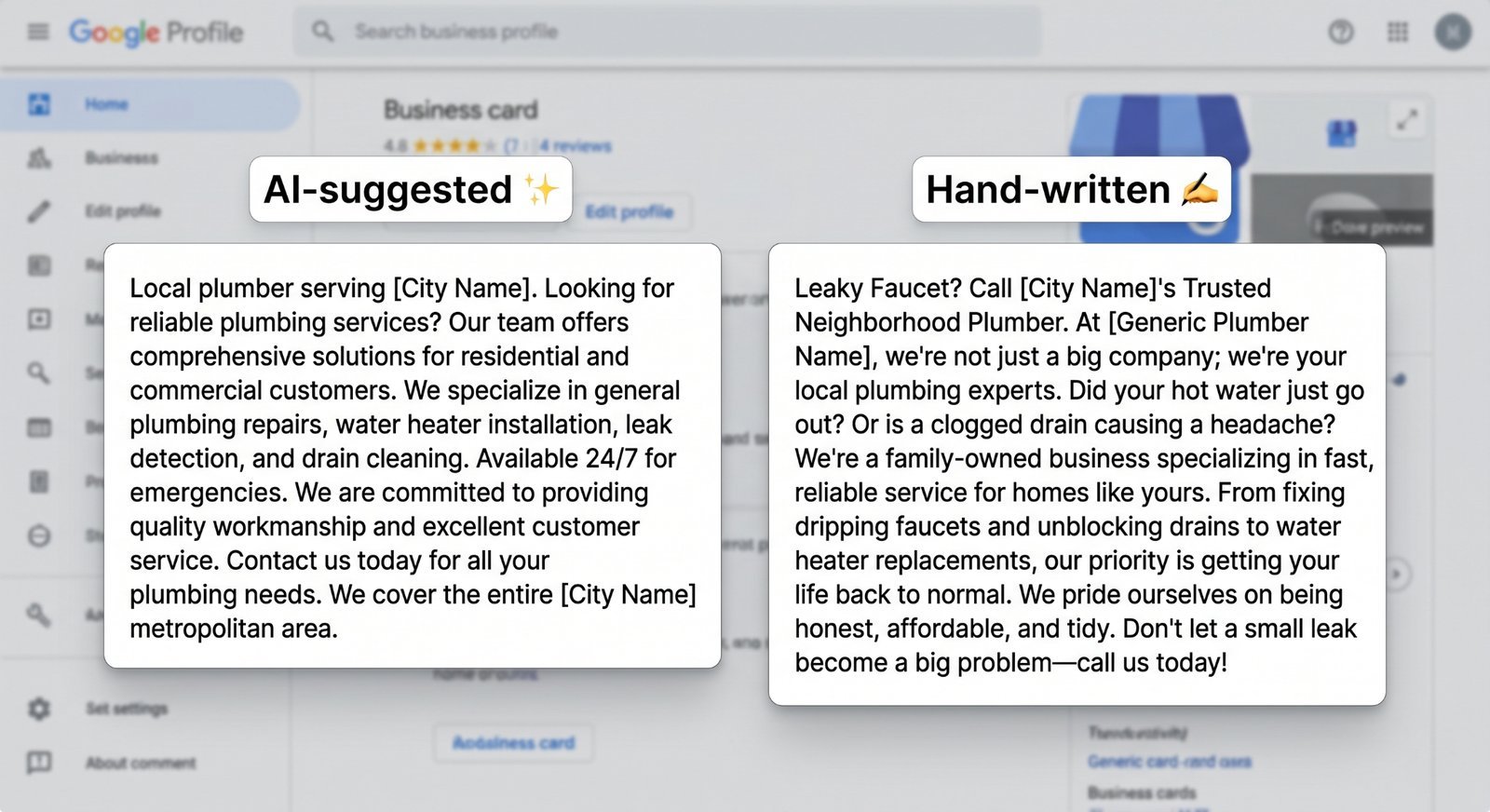
Do not click it. Or, click it if you must, but do not leave it there unchanged. Google's AI-suggested description is genuinely useful for exactly one thing: getting from empty to populated in 30 seconds. However, Google builds these drafts to be safe and generic. That is the exact opposite of what makes a GBP description work for your business.
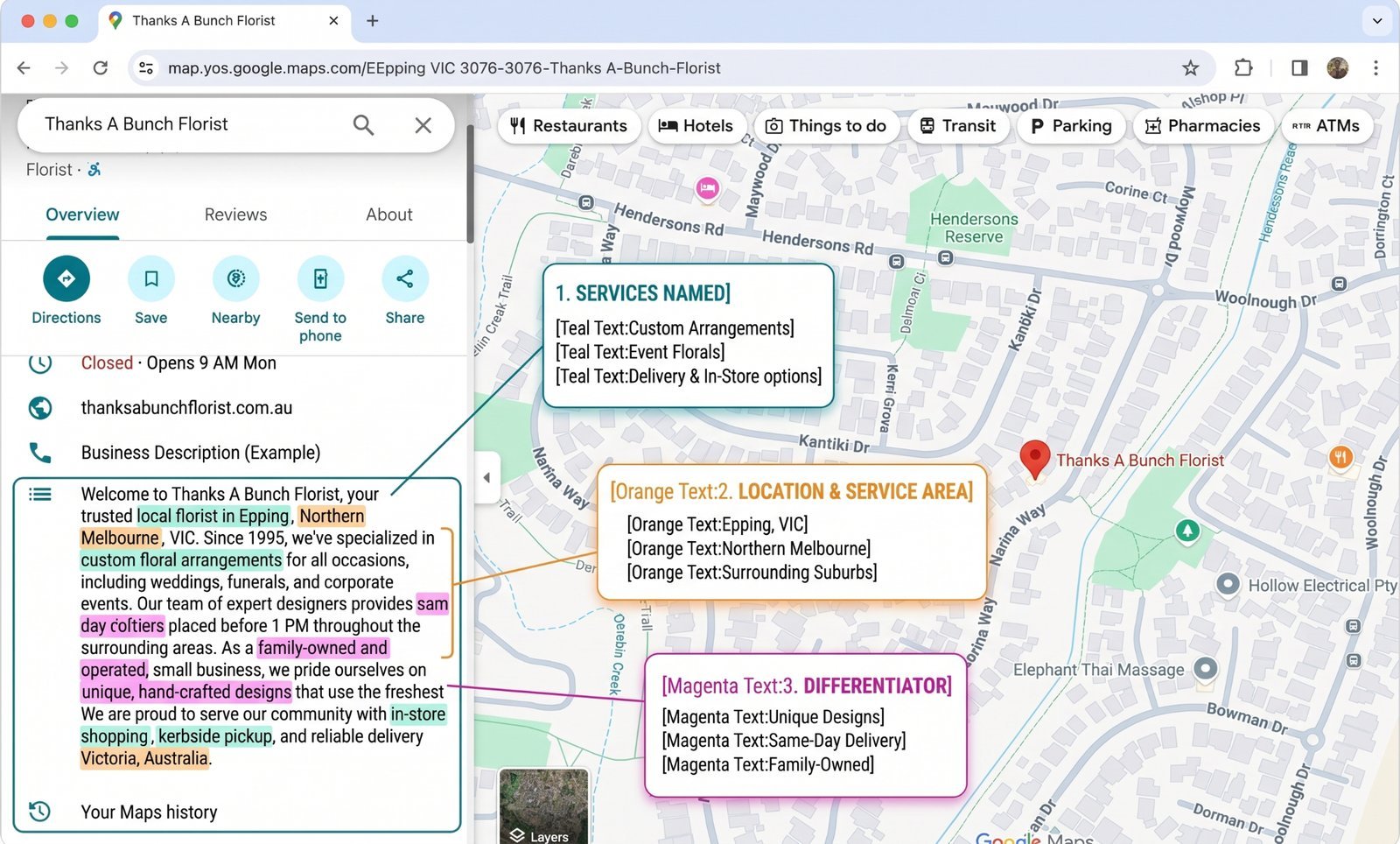
A hand-written description outperforms the AI draft on every critical metric, including click-through rates and call volume. Your custom text should name your specific services, your exact service area, and the unique factors that make your business stand out. This clarity helps both potential customers and Google's understanding of what you sell.
This post walks through what a strong description actually does, why Google's default underperforms, how an audit tool grades the field, and the two narrow cases where the AI draft is fine as-is.
What Google just changed (and what it didn't)
Google's2026 GBP Best Practices Playbook introduces the AI-suggested description as a native feature inside the dashboard. Page 5 spells it out:
"To help business owners quickly complete their profiles, the dashboard now offers automated description suggestions generated directly from your core category, services, and attributes."
The draft relies strictly on data you have already given Google. It pulls from your primary category, your services list, your attributes, and your address. It does not pull from your website. It does not read your customer reviews, nor does it look at your photos or posts. It acts purely as a template fill against your structured fields.
What hasn't changed is just as important. The 750-character limit remains exactly the same. The content rules are also identical. Google completely bars superlatives like "best," promotional language, URLs, and phone numbers. You can read the full list inGoogle's description content rules.
Furthermore, the description itself is still not a confirmed direct ranking factor for the local pack. Instead, it shapes how Google's natural-language systems categorize you. More concretely, it dictates how a human decides whether to click or call after finding you. If you want the full picture onwhat actually drives local pack rankings, that requires a deeper look. The description is downstream of ranking because it converts the visit.
What a good GBP description actually does
A high-performing description accomplishes three key goals in order.
Name specific services, not categories
Generic phrases like "plumbing services" tell Google and the customer nothing new. They already know your business type from your primary category. Phrases like "drain cleaning, tankless water heater installation, slab leak detection, and sewer line repair" define exactly what you do. This specificity helps Google distinguish your business from a general competitor down the street.
Make sure tofill out your services and attributes completely before you touch the description field. Once your services list is accurate, pull the top three or four offerings directly into your description as a natural sentence.
Names specific places
Simply naming a major metro area is table stakes. To move the needle, you need to list neighbourhoods, suburbs, and landmarks. Writing "serving South Tampa, Hyde Park, and Davis Islands" is far more useful than writing "serving the Tampa Bay area." This geographical precision guides the customer and clarifies your actual service footprint for Google.
Names are a differentiator that a competitor can't honestly copy
Most business owners completely skip this element. You must share something that the business across town cannot honestly claim. Consider mentioning your exact years in business, specific manufacturer certifications, or languages spoken. Family ownership with a specific starting year or true 24/7 emergency availability also work well.
If a competitor can copy-paste your statement and keep it true for themselves, it is not a differentiator. It is just filler copy.
Reads as a human wrote it
Write your text in the first person or natural third person. Use short, punchy sentences. Avoid corporate fluff like "we pride ourselves on delivering exceptional customer experiences." Read your draft out loud. If it sounds like a corporate marketing brochure, scrap it and start over.
Why the AI-suggested draft underperforms
The AI draft is entirely accurate, and that is exactly the problem.
Because the tool builds descriptions directly from your structured fields, it will correctly state your category, your general services, and your city. It will not contain factual errors. However, it will completely lack specificity because specificity makes Google's automated content classifiers nervous. The algorithm is tuned to be entirely safe, which means it strips out unique details to avoid policy violations. Safe inherently means generic.
The system also lacks access to the unique elements of your brand. Your customer reviews might say "Marco fixed our slab leak at 11 PM on a Sunday," but the AI cannot parse that context for a description. Your photos might show a dedicated local team and a fleet of clean trucks, but the AI ignores those assets. Your unique story completely disappears.
This creates a major structural problem for local search. If your three nearest competitors all accept the default draft, you will all sound completely identical. Google's automated template does not vary much between businesses in the same industry and city. Every plumber in Tampa who clicks "use suggested" ends up with the exact same text, collapsing your differentiation when a customer is trying to choose.
How does an audit tool grade your description?
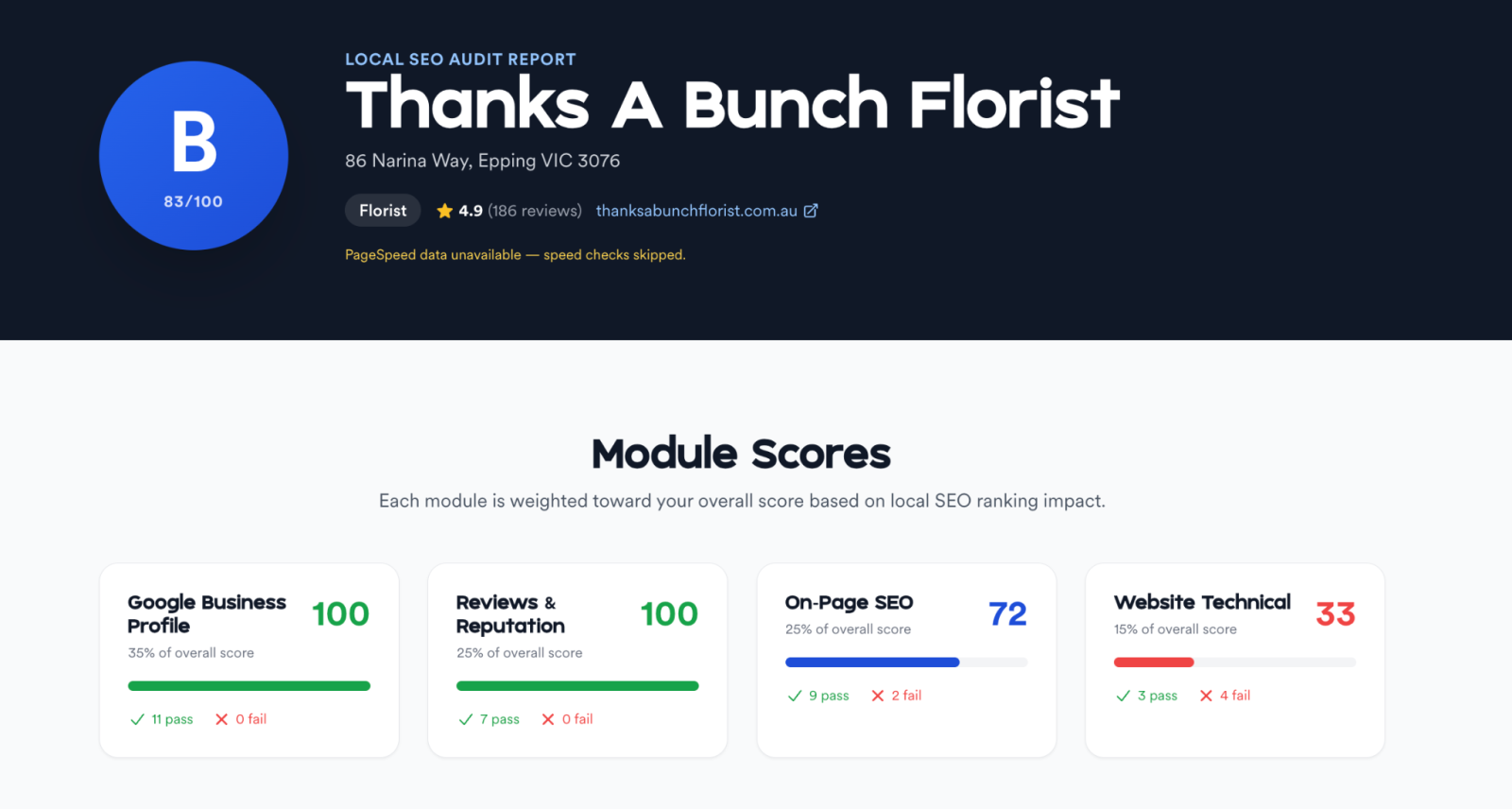
In CheckLocalSEO audits, we typically see four things checked on the description field. The tool evaluates presence to ensure the field is filled, length to check character usage, specificity signals for locations and services, and strict policy compliance.
The AI-suggested draft easily clears the checks for presence, length, and policy. However, it almost always fails to provide adequate specificity signals. That is the exact gap you close when you write your own text.
The two cases where the AI draft is actually fine
While custom text is best, the AI draft serves a purpose in two specific scenarios.
You're starting from zero
A completely empty description hurts your profile performance more than a generic one. If you have postponed writing your description for months, accept the AI draft today. Then, set a calendar reminder to replace it with custom text within the week. A temporary placeholder always beats a blank box.
You're rolling out a new location under time pressure
If you are launching ten or more location profiles during a single sprint, you face heavy time constraints. You can accept the AI draft to get the locations live quickly. Then, use your next operational sprint to write unique descriptions for each individual service area. Just make sure you actually return to finish the job. Copy-pasting the same description across multiple locations remains the single most common mistake detected in agency audits.
A 10-minute rewrite framework
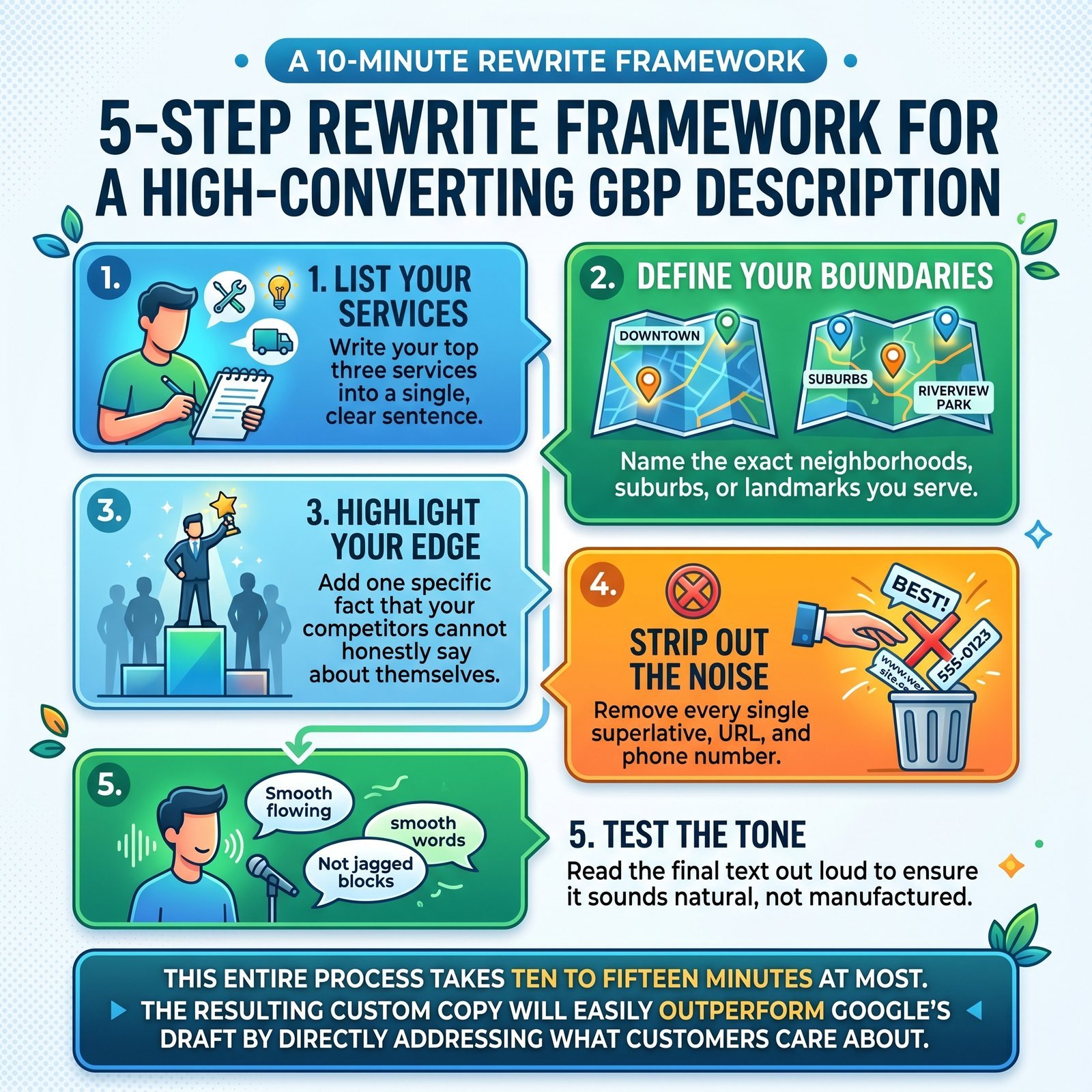
When you are ready to build a high-converting description, follow this simple five-step process:
- List your services: Write your top three services into a single, clear sentence.
- Define your boundaries: Name the two or three exact neighborhoods, suburbs, or landmarks you serve.
- Highlight your edge: Add one specific fact that your competitors cannot honestly say about themselves.
- Strip out the noise: Remove every single superlative, URL, and phone number.
- Test the tone: Read the final text out loud to ensure it sounds natural, not manufactured.
This entire process takes ten to fifteen minutes at most. The resulting custom copy will easily outperform Google's generic draft by directly addressing what customers care about.
Frequently Asked Questions
Will Google penalise me for editing the AI-suggested draft?
No. Google offers the tool to help you get started. Modifying the text or replacing it entirely with custom copy is the intended behaviour.
Does the description affect my local pack ranking directly?
No, it is not a confirmed direct ranking signal. Instead, it influences how clearly Google's natural language systems understand your business focus and determines whether users choose to click or call after finding you.
Can I include my phone number or website URL in the description?
No. Google's strict guidelines completely prohibit both. While the AI draft automatically follows these rules, your custom text must do the same to avoid profile rejection.
How often should I rewrite my business description?
You only need to update your text when your core services change, when you add new locations, or during a routine annual review. Rewriting your description purely for the sake of updating provides no SEO benefit.
What if I run multiple locations?
Every distinct location requires its own unique description. Each text must name that specific location's service area and unique local features. Copying and pasting identical text across multiple profiles is an incredibly common local SEO mistake.
Run your description through an audit before you publish
Google's AI draft represents a starting line rather than a finish line. It populates the field quickly, but it does not make the text work for your bottom line.
Take a few moments torun a free audit on your GBP. You will see exactly how your description scores on length, compliance, and specificity, allowing you to optimize your profile before your competitors catch on.