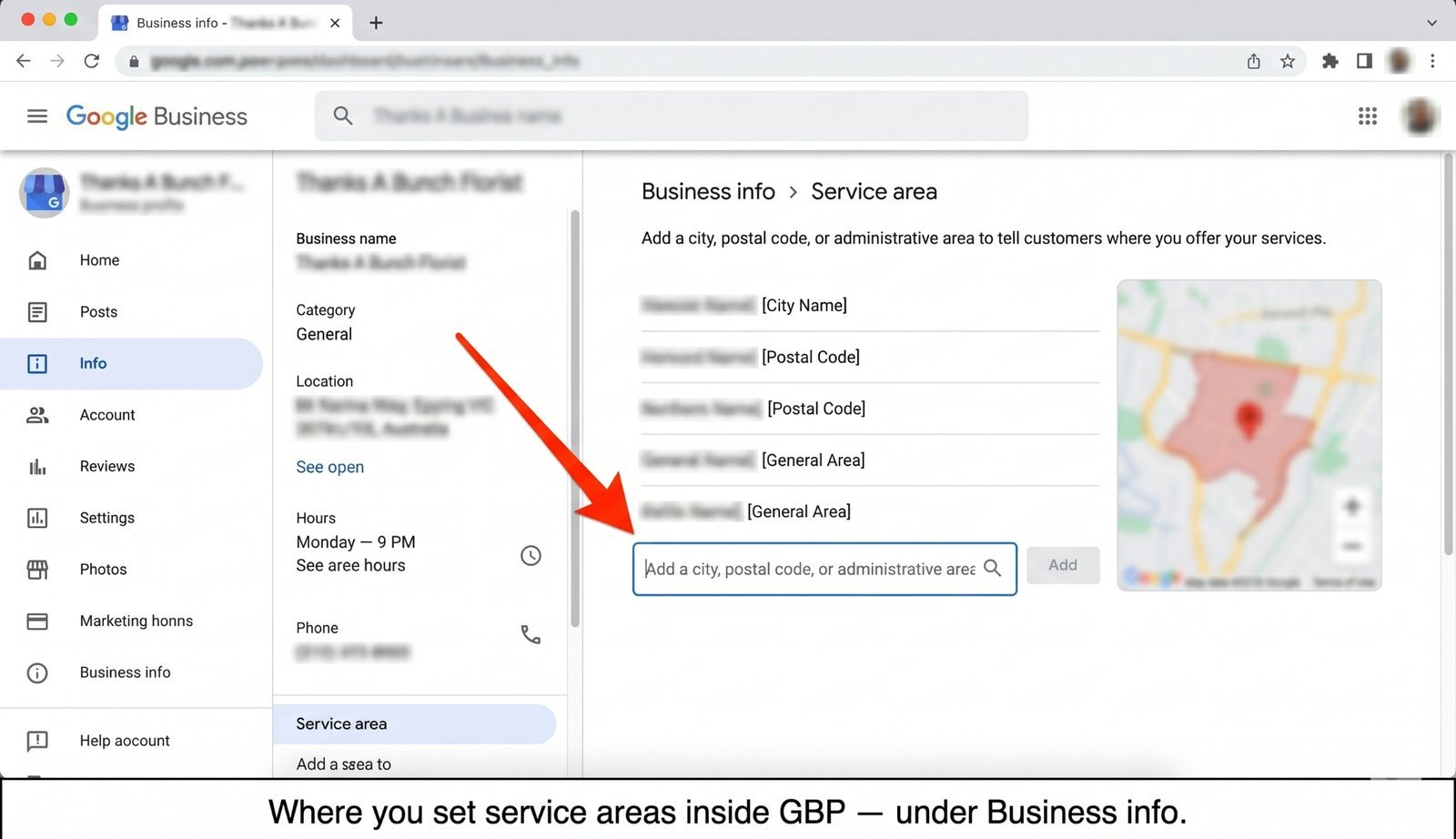
A roofer in Atlanta sets his GBP service area to "all of Georgia." He figures more coverage means more leads. Six months later, he's wondering why a smaller roofer in Decatur — the next suburb over — is outranking him on every search that matters. The roofer didn't lose because his work was worse. He lost because he told Google he serves 159 counties, and Google believed him.
Here's what changed: the 2026 GBP Best Practices Playbook now puts a clear number on something Google has hinted at for years. From page 7:
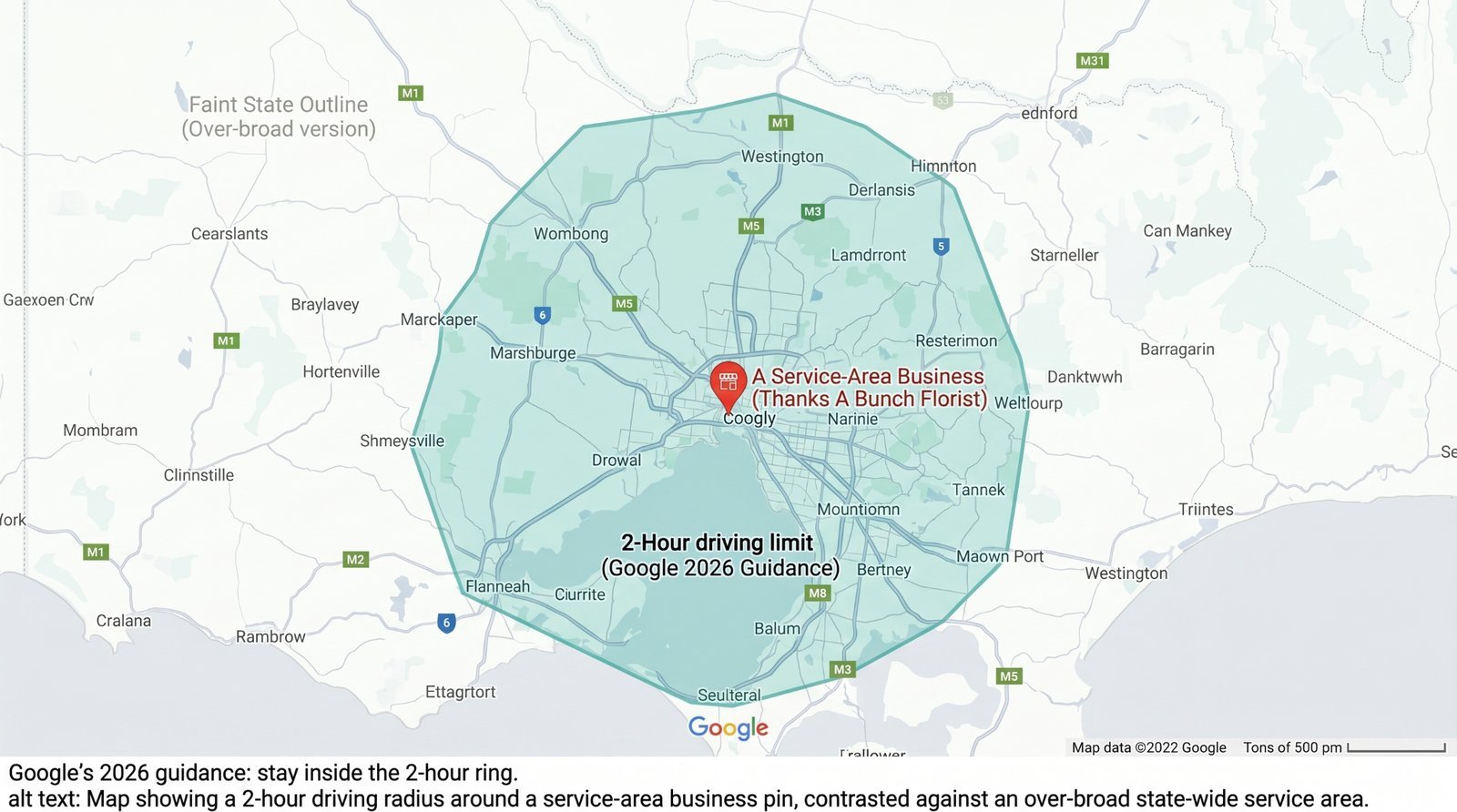
"The boundaries of your overall area shouldn't be more than about 2 hours of driving time from where your business is based."
That's the new floor. Setting a bigger service area does not get you more customers. It gets you fewer. The businesses still listing "entire state" are quietly losing ranking to competitors who set theirs tightly. Bigger isn't broader reach. Bigger is diluted relevance, plus a side helping of suspension risk.
What Google actually said (and didn't say)
The quote above is the whole rule. Two hours of driving time from where your business is based. That's it.
What Google did not publish: a suspension threshold, a ranking penalty percentage, or a grace period for businesses currently out of compliance. There is no "you have 90 days." There is no "exceed this and lose 30% of your impressions." Anyone selling you those numbers made them up.
The wording is also worth pausing on. Google said "shouldn't," not "can't." That's deliberate. This is guidance with teeth, not a hard technical block. You can still type in cities four hours away, and Google will accept them for now. But you've now been formally told not to, in writing, in the official playbook. That's the warning shot.
How service areas actually work (most owners get this wrong)
Before you can fix your service area, you need to understand what it actually does. Most owners think a service area is a coverage map. It isn't. It's an eligibility filter, and the math underneath it runs from a place most owners don't think about.
Your base address is still the anchor
Even if you're a pure service-area business with no public address, Google still has one for you internally — the verified address you provided during signup. Every distance calculation Google runs for your profile starts from that point. Not from the edge of your service area. Not from the average of the cities you listed. From the single anchor address.
This means a query from a customer 90 minutes away is, to Google, a query 90 minutes from you — regardless of whether you marked their city as part of your service area or not. The service area doesn't move the anchor. Nothing moves the anchor except updating your actual address.
Service areas gate eligibility, they don't boost ranking
Adding a city to your service area makes you eligible to appear in searches there. It does not make you competitive there. These two things get confused constantly, and the confusion is what drives the "list everything" instinct.
Eligibility is binary: you're either in the pool of businesses Google considers for that query or you're not. Ranking inside that pool still depends on the three published factors — relevance, distance, and prominence — and distance is measured from your anchor address. Listing Savannah when you're in Atlanta puts you in the Savannah pool. It doesn't make you beat the Savannah roofers.
Most businesses are leaving category slots unused. See what's being missed.
The ~20 service areas cap
Google lets you list up to roughly 20 service areas on your profile. Treat that number as a ceiling, not a target. The point is to use them strategically. Most businesses should be picking 5 to 10, not maxing out the form.
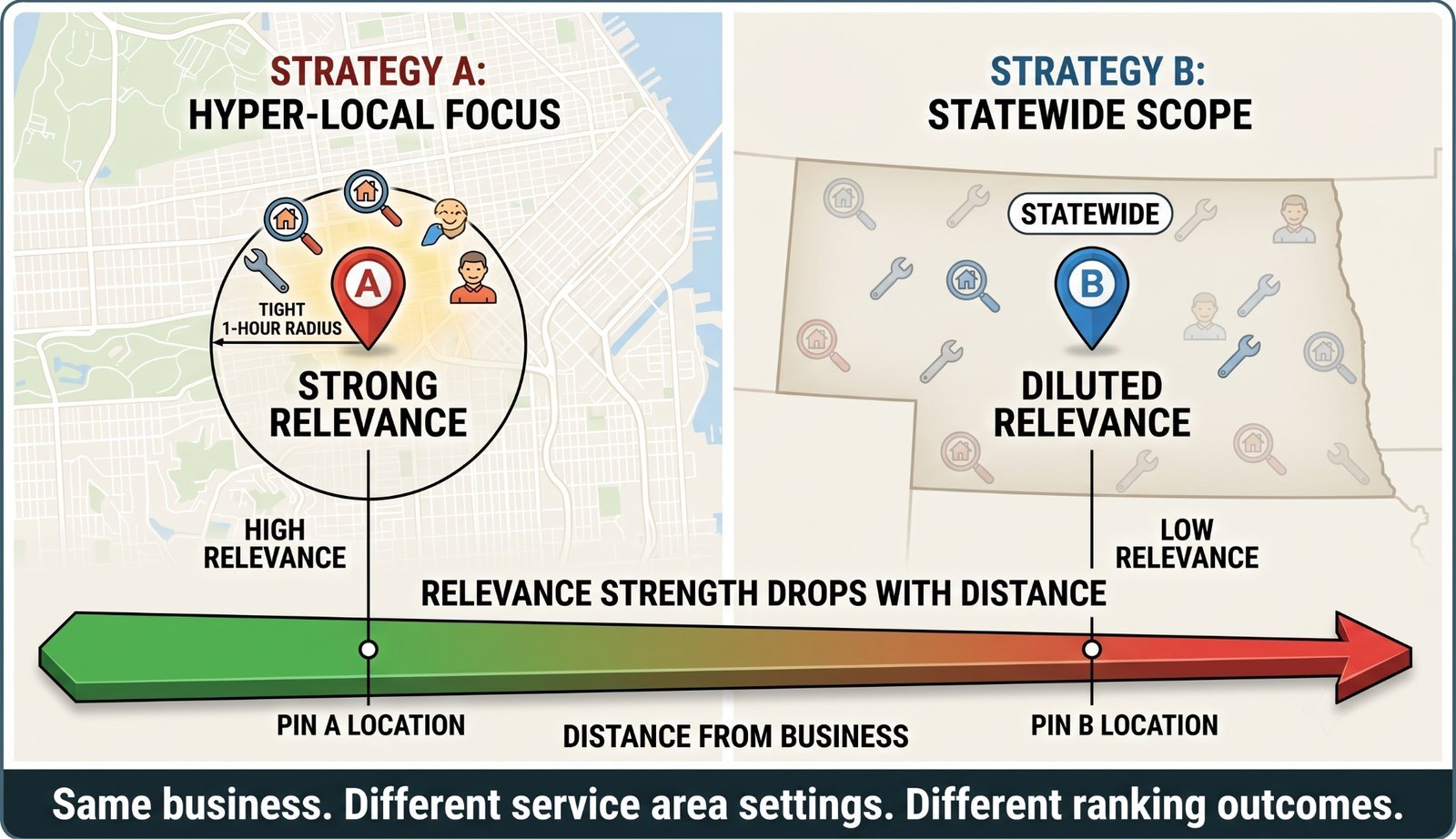
Why do overbroad areas dilute reach instead of expanding it?
Google has finite confidence in any one profile. Think of relevance as a fixed budget that gets spread across every location you tell Google you serve. Spread it across the five cities where you actually do work, and you're strong in all five. Spread it across 50 cities across an entire state, and you're weak in all 50 — including the ones where your real customers live.
A tightly scoped service-area business almost always outranks a statewide one in its shared core city. Not sometimes. Almost every time. The state-wide profile is sending Google a confusing signal: "I'm a roofer who's equally strong in Atlanta and Albany and Augusta and Athens." Google's correct response to that signal is to trust none of it very much.
The 2-hour figure isn't arbitrary either. It roughly matches the radius within which a customer would realistically expect a service business to show up the same day or the next day. Past that, you're not really a local option to them anymore. You're a long-distance bid. Google's ranking model has reflected this for years; the playbook just put it in writing.
What happens if you exceed 2 hours
There are two outcomes to worry about. One is loud and rare. The other is silent and common.
The suspension risk (real but not quantified)
A grossly over-broad service area can trigger a quality review, most often during initial verification or re-verification. We don't have a public Google number for how often this happens, and we're not going to make one up. Treat it as a real risk that escalates with how absurd your boundaries are. "Entire United States" gets flagged. "Three neighbouring counties that happen to push slightly over two hours" probably doesn't. The closer you sit to obvious abuse, the more this matters.
The relevance dilution (more common, more boring, more expensive)
This is what actually happens to the vast majority of overbroad profiles. You don't get a notification. You don't get a strike. You just quietly stop ranking in the cities you care about, and you blame the algorithm, or your competitor's review count, or seasonality. The real cause is that you told Google you serve 40 cities, and Google took you at your word and rationed your relevance accordingly.
Dilution is the silent killer here. Suspension is the headline risk, but dilution is the bill you pay every month.
The "I've been like this for years, and I'm fine" rebuttal
If you've had a state-wide service area for three years without a problem, congratulations — you've been operating under Google's tolerance, not its approval. The 2026 playbook is the formal end of that tolerance period. Past leniency is not a guarantee of future leniency, and businesses that act on the new guidance first will compound their ranking advantage over those that wait to see if it's "really enforced."
How to set your service area correctly
This part isn't complicated. It just requires being honest about where you actually work.
- Start with a driving-time map, not a list of cities: Open Google Maps, drop a pin on your base address, and figure out where the 2-hour boundary actually falls. You'll usually be surprised — 2 hours covers a lot more ground than people think in rural areas, and a lot less than people think in dense metros with heavy traffic.
- Pick your top 5 to 10 cities inside that ring: Not 20. The 20-city cap is what Google allows; it isn't what works best. Specific cities outperform one giant region like "Greater Los Angeles" because specific cities give Google clearer eligibility signals. Pick the cities where you actually want more jobs.
- Match the list to where you actually go: If you haven't taken a job in a city in the last 12 months, it's not your service area. It's aspirational marketing, and Google's ranking model penalises it.
- Re-check this quarterly: Keep an eye on it, especially after any Google playbook update. Service areas are not a set-and-forget setting anymore. You can read more about how this fits into the broader ranking picture in our guide tohow GBP ranking actually works.
How CheckLocalSEO flags this
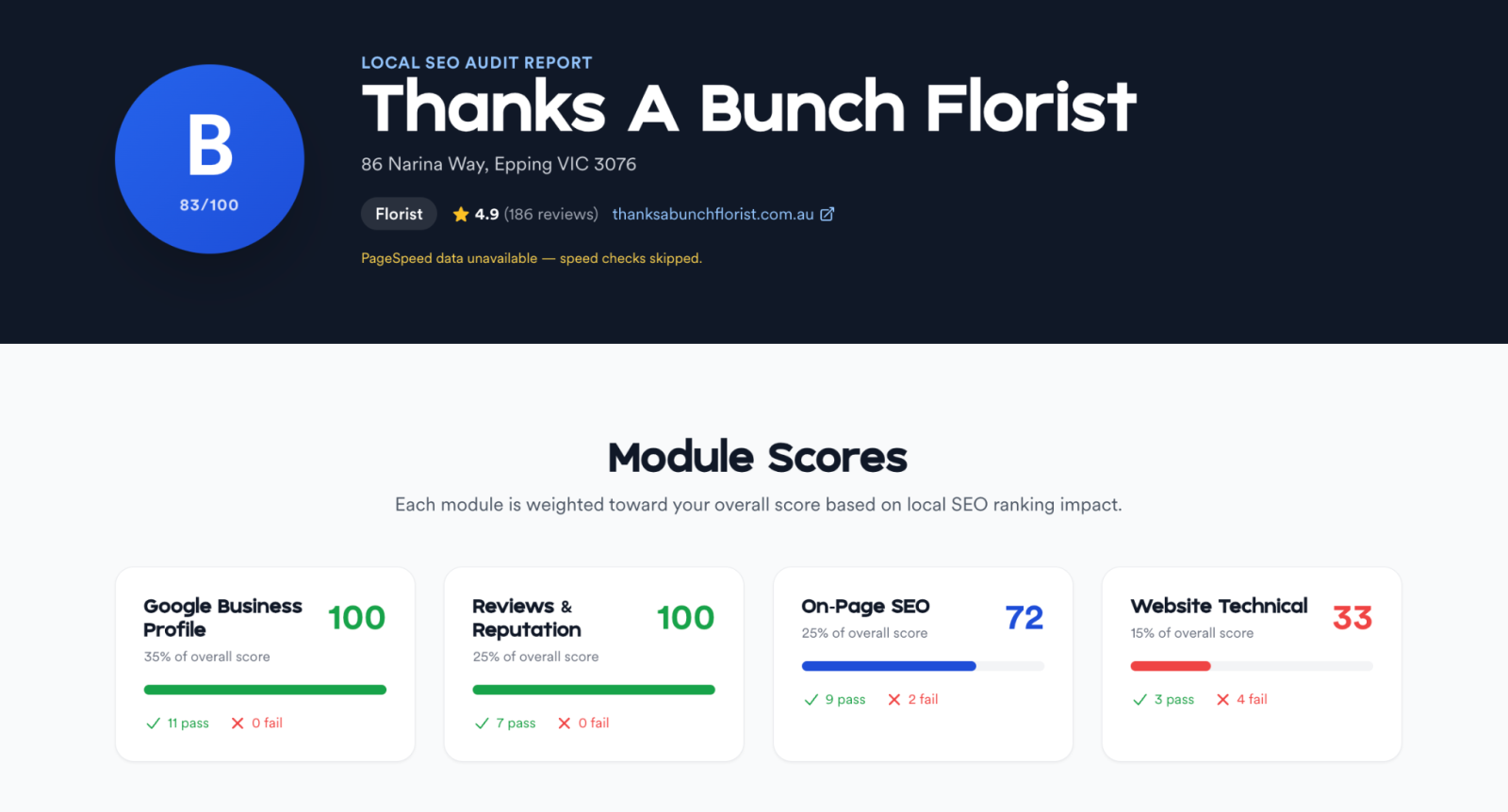
We've added an over-broad service area check directly to our automated audit tool. It estimates driving time from your verified base address to the outermost edge of each city in your declared service area.
If any of them push past the 2-hour threshold, you get a warning naming the specific cities to drop. No guesswork, no need to draw rings in Google Maps yourself.
The bigger picture
The 2-hour rule isn't a one-off. It's part of a broader pattern: Google is turning previously soft installer norms into formal best practices, and service-area businesses — historically the messiest category in GBP — are getting tightened up first. Expect more of this. Expect more numbers attached to things that used to be vibes.
Owners who treat the playbook as optional will lose ranking to owners who treat it as the floor. That's what's already happening to the roofer in Atlanta.
The bottom line
Two hours, not state-wide. Your base address anchors everything Google does with your profile, and no amount of service-area sprawl moves that anchor. Bigger boundaries are dilution, not reach. Pick 5 to 10 specific cities inside your 2-hour ring, drop the rest, and re-check every quarter.
Run a free audit atCheckLocalSEO to see if your service area is over-broad — and see exactly which cities to cut.
Curious how the service-area check fits into the wider scan? See how the audit works.