Google didn't send an email. There was no blog post on the Google Search Central feed, and no announcement from a developer advocate. The 2026 Google Business Profile Best Practices Playbook just appeared one morning. It arrived in two editions—one for service-area businesses and one for storefronts. The people who noticed first were simply the ones who refreshed the documentation page that week.
That low-key release does the playbook a disservice. The 2026 edition marks the first time Google has put clear numeric limits on rules that used to be vague. Ten categories. Twenty service areas. Two hours of driving time. Native AI-written descriptions inside the editor. These are not new behaviours from the algorithm.
Google has been quietly enforcing most of this for at least a year. What is new is that the rules are now officially documented. If you spent the last year stuffing forty service areas, choosing a single category, and letting generic text sit, you were simply optimising against an outdated playbook. The business owners who adjust this month will outrank those who fail to adjust for half a year.
What the 2026 Playbook actually is (and isn't)
The playbook comes in two versions. The service edition targets businesses that travel to the customer, like plumbers, electricians, and mobile groomers. The storefront edition focuses on brick-and-mortar locations where customers walk through a physical door. While they overlap heavily, the service edition zeroes in on geography, while the storefront edition prioritises hours, photos, and in-store attributes.
This release is not a traditional feature launch. You will not find a new button to click inside your dashboard. Instead, Google is documenting the exact rules its algorithm already uses. This distinction matters deeply. Soft enforcement is turning into hard enforcement. When Google publishes explicit numbers in a best-practices guide, those thresholds become official targets. Expect the algorithm to enforce these boundaries strictly moving forward.
The complete document is worth a short read, but you can save time by focusing on the core shifts that impact your visibility.
The five changes that actually matter
1. Categories now have a hard ceiling of 10
The playbook is direct about this boundary:
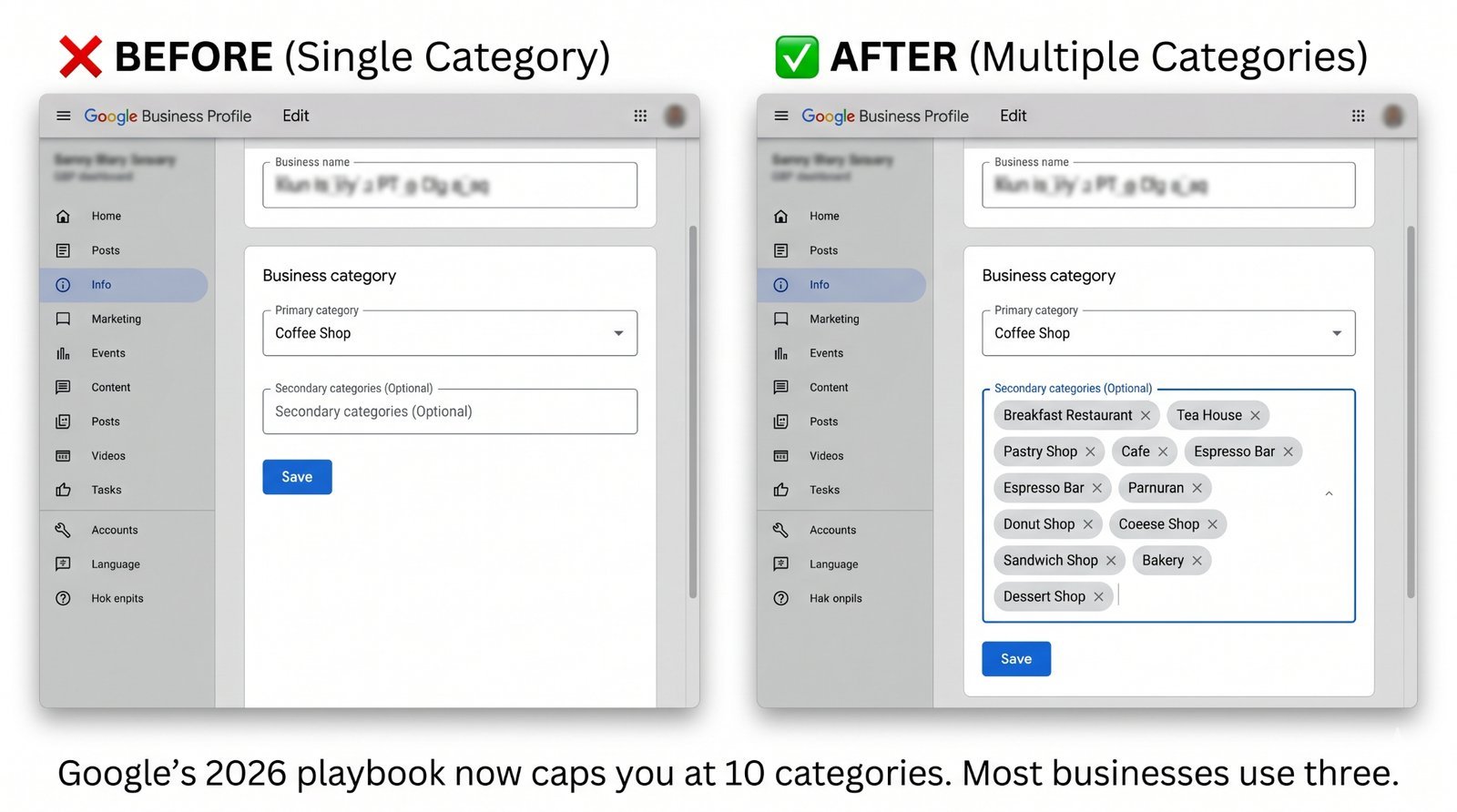
"You may add up to 10 categories in total: one primary and nine secondary." (Playbook, p. 4)
The ceiling itself is not the most interesting part. Most business profiles we audit only use one to three categories. The real issue for most owners is underusing their options rather than exceeding the limit.
A strategy built on one primary and four to six highly accurate secondary categories easily beats ten keyword-stuffed options. Google excels at identifying categories that fail to match your actual operations. Adding "Wedding venue" to an auto repair shop because a couple once took a photo in your parking lot will not help you rank for weddings. It is highly likely to dilute your relevance for auto repairs.
What to do this week: Select the primary category that directly matches your highest-revenue service. Then add secondary categories that match real searches your local customers use. Avoid aspirational terms that do not reflect your daily business. If you need to see the full list of available options, check the official Google Business Profile Help Centre. For a deeper dive, read our guide on choosing the rightprimary category.
2. Service areas are capped at 20 — and 2 hours driving time
This change represents the most significant practical shift in the document. It will cost business owners real visibility if it goes ignored.
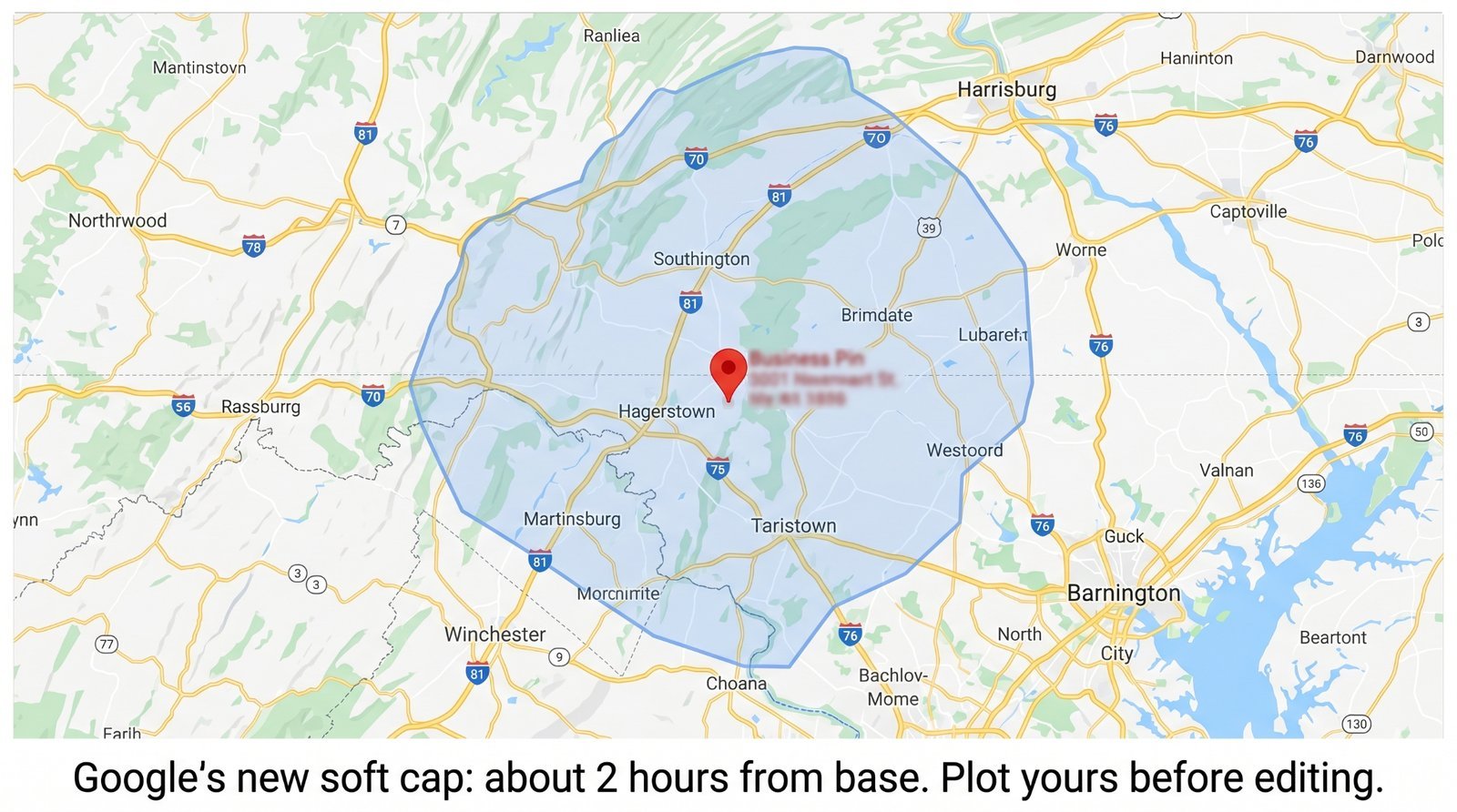
"The boundaries of your overall area shouldn't be more than about 2 hours of driving time from where your business is based." (Playbook, p. 7)
Many service-area profiles list sixty or more zip codes under the assumption that wider coverage generates more leads. Google has disregarded that extra volume for at least two years. The new playbook officially codifies this restriction, capping profiles at a maximum of 20 service areas total.
The two-hour driving limit serves as a practical proxy for whether your team will actually show up to a job. If an emergency call comes from ninety minutes away late on a Friday, most business owners decline it. Google and its users both understand this reality. Displaying a profile for searches in regions you cannot realistically serve harms the user experience.
What to do this week: Open your service area settings. Keep only the ten to twenty specific zones where your team would genuinely accept a job today, and remove the rest. If you complete most of your work within thirty minutes of your office, your profile must reflect that reality. Claiming an excessive radius dilutes the localised signal Google relies on to rank you where you actually operate. For more details, see our breakdown of how Google is now using Gemini to catch keyword-stuffed GBP names.
3. AI-suggested descriptions are now native
Google has integrated AI-generated business descriptions directly into the primary profile editor, moving the tool out of its experimental phase.
The immediate risk here is uniform messaging. If every plumber in your city accepts the automated AI suggestion, every profile will sound identical. Uniformity degrades your ranking potential. Google looks for relevance and distinctiveness. A generic description that applies to any competitor gives the algorithm no unique data to work with.
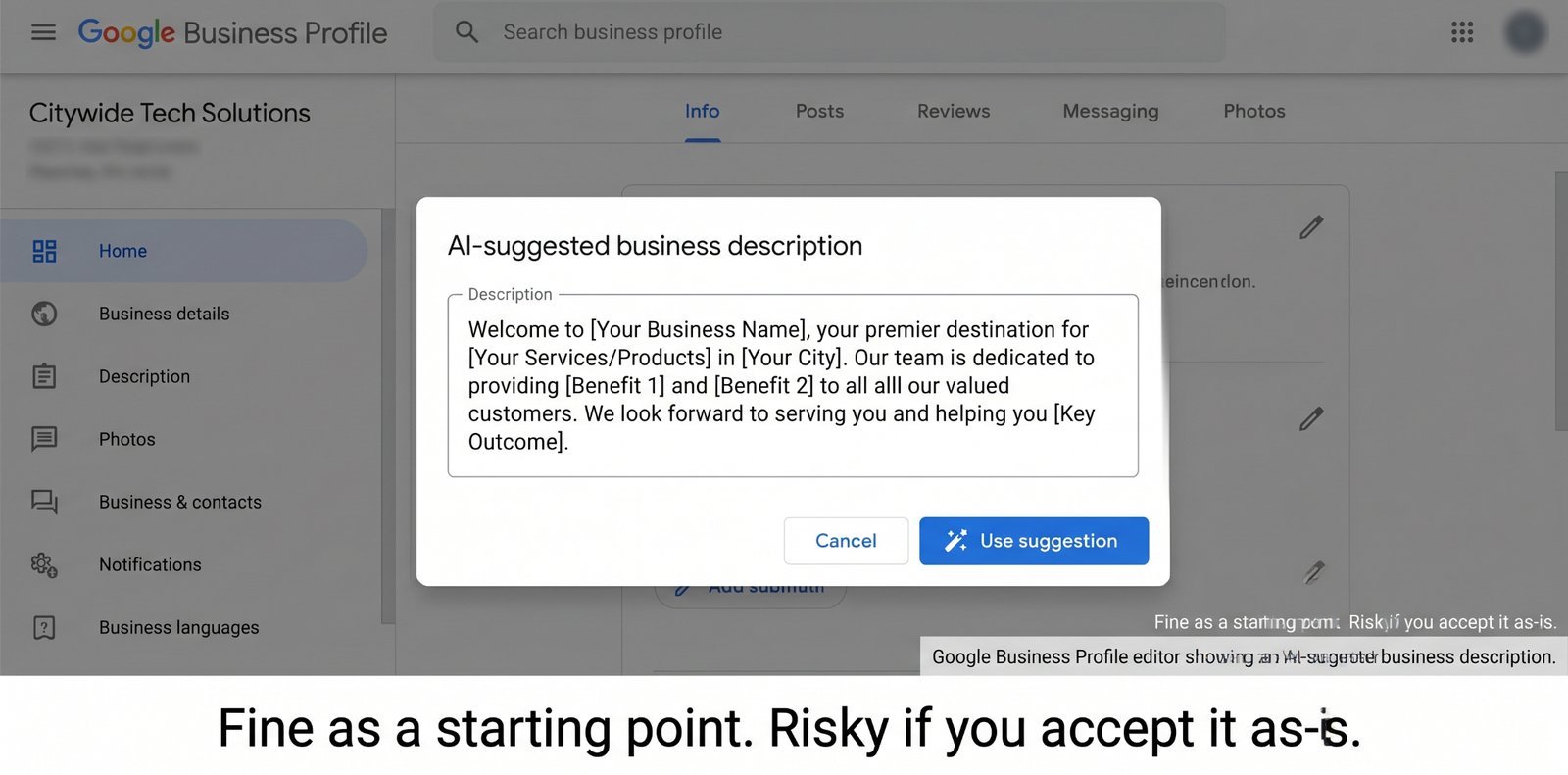
An AI draft works well as an initial framework, but publishing it completely unedited is a mistake.
What to do this week: Generate the AI text, then completely rewrite the opening sentence using your own voice. Introduce a specific, distinct detail about your operation. Mention the exact neighbourhood where you started, the specific tool brands you rely on, or the year your family opened the business. Real specificity makes your profile both readable for humans and relevant to search engines.
4. Reserve with Google is in 88+ countries
TheReserve with Google integration now extends across more than 88 countries and covers an expanded list of industries, including home services, fitness, and professional services.
This feature remains one of the most underutilised assets in local search. Allowing a user to schedule an appointment directly within search results converts much better than traditional funnels. Sending a user to a website to locate a booking form introduces friction. Removing steps between user intent and a confirmed booking protects your bottom line.
What to do this week: Review the officialGoogle Reserve partner list to see if your current software integrates. If it matches, connect the accounts immediately. If it does not, ask your software provider about their timeline or consider alternatives that support it. If your region lacks support for this tool, place a direct booking link inside your website field and your services section. Minimising booking friction solves a major conversion leak.
5. Google is openly using completeness stats to pressure you
The playbook highlights three specific statistics to encourage comprehensive profile updates:
- "29% of customers [are] more likely to consider purchasing from a [business with a detailed] profile"
- "5x more views for regularly updated profiles"
- "7x more clicks for complete profiles" (Playbook, p. 3)
Avoid reading these metrics as a simple formula where a full profile guarantees a top ranking. That overstates the causal relationship. The true takeaway is that incomplete profiles suffer from lower user engagement, and strong engagement naturally drives better rankings. Google surfaces these metrics to encourage updates. Expect the system to push these reminders more aggressively.
What to do this week: Add high-quality, authentic photos instead of generic stock imagery. Update your standard hours and add upcoming holiday schedules. Build out a comprehensive services list and include specific products if applicable. Finally, populate your Q&A section using the top five questions your front-desk team answers daily. Most owners ignore the Q&A area completely, yet it offers excellent, free text space to display your expertise.
What didn't change (but everyone will think did)
The core review policy remains exactly the same. You cannot gate reviews, offer financial incentives for positive feedback, or screen out negative customer experiences. Keyword stuffing within your business name also remains a direct violation of terms. Adding phrases like "Best Local Electrician" to your official name triggers rapid profile suspension. The 2026 playbook does nothing to soften these rules.
The Google Posts feature operates just as it did before. It is still underutilised, and it does not directly shift rankings. Instead, frequent posts sustain the consumer engagement signals that help your business stay visible. Posting once a week provides a low-cost habit with steady, compounding benefits.
A 20-minute audit to align with the 2026 playbook
You can align your profile with the new guidelines in less than twenty minutes by executing these five steps:
- Verify your categories: Ensure you use a primary category and clear secondary categories. Cut any irrelevant listings.
- Refine your service area: Remove any territory located more than two hours away from your physical base. Keep the total region count under 20.
- Evaluate your business description: Read the text out loud. If it lacks a human touch, rewrite the first line to include an authentic detail about your company.
- Confirm booking integrations: Link your platform to Reserve with Google if an integration is available.
- Refresh media and customer queries: Upload five recent photos and publish answers to common customer questions.
Our free automated tool checks your profile against these exact criteria. It flags missing secondary categories, overextended service areas, generic descriptions, and absent booking links. If you prefer to skip manual checks across every tab of your dashboard, you can run a quick check on theCheckLocalSEO Homepage.
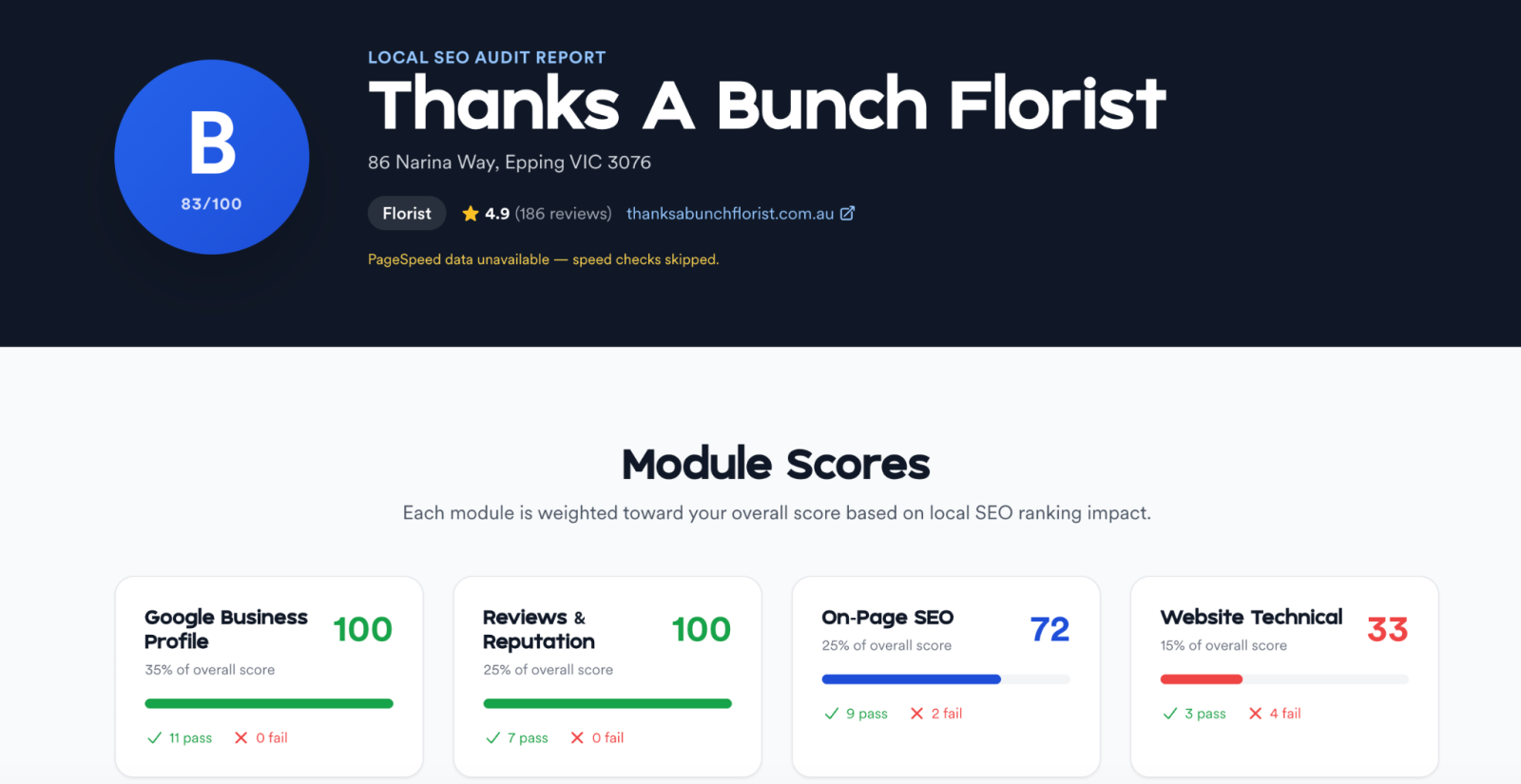
Our audit tool flags these gaps against the 2026 rules automatically — categories, service-area overreach, generic descriptions, and missing booking links. If you'd rather not click through your profile section by section, that's the shortcut.
The bigger pattern
The 2026 playbook isn't a redesign. It's Google moving from "guidelines" to "rules with numbers." That shift will keep going. Expect the 2027 edition to put numbers on photo freshness, posting cadence, and review response rates — areas where the algorithm is already making judgments that aren't yet documented.
The owners who treat the playbook as a contract, not a suggestion, will win. The ones who shrug and keep running their 2022 setup will quietly lose ground, wonder why, and blame the algorithm. The algorithm is doing exactly what the playbook now says it does. That's the whole point.
Run a free audit on CheckLocalSEO to see which of the 2026 rules your profile is already aligned with — and which ones are costing you visibility right now.
Prefer the automated route? This is how the 60-second audit works.